
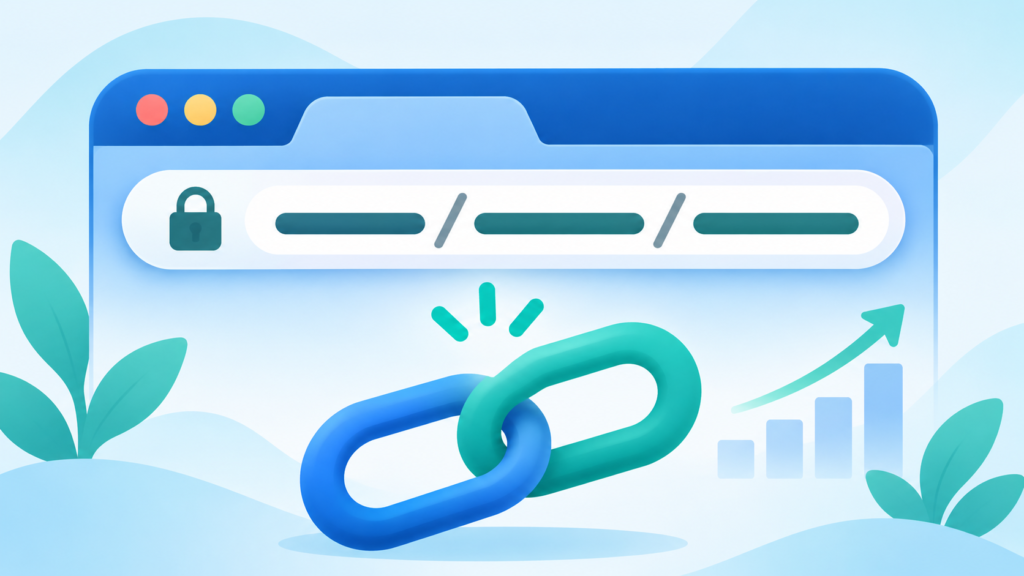
Look at the address bar the next time you open a blog post. The part after the domain name — something like /seo-friendly-url-slugs/ — is the URL slug. It is small, easy to overlook, and one of the simplest SEO details you can control.
A good slug tells both readers and search engines what the page is about before they click. A bad slug is a string of numbers, dates and random words that tells them nothing. The difference takes seconds to fix, and it can influence click-through rates and how confidently a page is understood.
This guide explains what URL slugs are, why they matter, the rules for writing good ones, and how to generate clean slugs instantly with a free Slug Generator.
What is a URL slug?
A URL slug is the human-readable part of a web address that identifies a specific page. In this URL:
https://example.com/blog/seo-friendly-url-slugs/
the slug is seo-friendly-url-slugs. The domain is example.com, the category path is /blog/, and the slug is the final descriptive segment.
Slugs are not the same as page titles. A title can be long and conversational — "How to Create SEO-Friendly URL Slugs (Free Slug Generator)" — while the slug should be short and keyword-focused: seo-friendly-url-slugs.
Why URL slugs matter for SEO
Slugs are a minor ranking factor compared with content quality and links, but they influence several things that add up:
- Relevance signals. A slug containing the target keyword gives search engines a clear hint about the page's topic.
- Click-through rate. Clean URLs look trustworthy in search results and are easier to read.
- User experience. Readers can predict where a link goes before clicking.
- Sharing. Short slugs are easier to paste into messages, social posts and printed material.
- Link equity. A stable, descriptive URL is easier to link to and less likely to change.
Google has said that words in URLs can help it understand a page, especially when they are relevant. The benefit is modest, but it is free, and it compounds across a whole site.
The rules of a good URL slug
Follow these principles and your slugs will be clean, consistent and search-friendly.
1. Use your target keyword
Include the main phrase you want the page to rank for. If the post targets "how to create a robots.txt file", the slug how-to-create-robots-txt-file is a strong match. Avoid cramming in several keywords; one clear phrase is enough.
2. Keep it short
Shorter slugs are easier to read and share. Aim for three to six words. If you can remove a filler word without losing meaning, remove it.
- Too long:
how-to-create-the-best-seo-friendly-url-slugs-for-your-website - Better:
seo-friendly-url-slugs
3. Use hyphens, not underscores
Hyphens are the standard word separator in URLs and are read as spaces by search engines. Underscores can join words together in ways that are harder to parse.
- Good:
image-compressor - Avoid:
image_compressor
4. Use lowercase letters
URLs can be case-sensitive. My-Page and my-page may be treated as different addresses, which creates duplicate content and broken links. Always use lowercase.
5. Remove stop words when they add nothing
Small words such as "a", "the", "and" and "of" often add length without meaning. Compare:
how-to-make-a-website-for-your-businessmake-website-business
The second is shorter but may read awkwardly. Use judgement: keep stop words when they make the slug natural, remove them when they are pure filler.
6. Avoid special characters and spaces
Spaces are encoded as %20, which looks messy. Ampersands, question marks and accented characters can break links or create encoding issues. Stick to letters, numbers and hyphens.
7. Do not stuff keywords
A slug like best-cheap-fast-reliable-seo-tool-online-free looks spammy and reads poorly. One relevant phrase beats a pile of keywords.
8. Keep it stable
Changing a slug after publishing breaks existing links and can lose ranking signals. Decide on the slug before you publish, and if you must change it later, set up a 301 redirect from the old URL.
How to generate a slug with the free tool
Writing slugs by hand is easy for short titles, but longer headlines need consistent cleanup. The FreeTulz Slug Generator handles the conversion for you.
- Open the Slug Generator.
- Paste your headline, title or product name into the input box.
- Choose a separator: hyphen, underscore or dot. Hyphen is the best choice for SEO.
- Choose case conversion: lowercase is recommended.
- Click Generate Clean Slug.
- Review the result. The tool shows the slug length in characters and the word count.
- Copy the slug and use it in your URL.
The live stats are useful. Seeing "32 characters, 6 words" helps you keep slugs concise without counting manually.
A quick before-and-after
Headline: "10 Best Ways to Compress Images Without Losing Quality in 2026"
Generated slug: 10-best-ways-to-compress-images-without-losing-quality-in-2026
That works, but it is long. A tighter version might be:
compress-images-without-losing-quality
Both are valid. The shorter one is easier to share and still contains the core keyword.
Good vs bad slug examples
| Page topic | Weak slug | Strong slug |
|---|---|---|
| PDF page counting guide | /2026/03/14/post-4821/ | /count-pages-in-a-pdf/ |
| Image compression tool | /tools/image_compressor_v2/ | /image-compressor/ |
| Robots.txt tutorial | /blog/?p=912 | /how-to-create-robots-txt-file/ |
| PPF calculator | /calc/ppf-calculator-final/ | /ppf-calculator/ |
| Slug generator | /slug-gen-tool-online-free-use | /slug-generator/ |
The strong versions share three traits: they are descriptive, short and free of clutter.
Slugs for different page types
The same principles apply everywhere, but the emphasis shifts:
- Blog posts: Lead with the topic and include the primary keyword. Example:
/how-to-check-dpi-of-a-pdf/. - Tool pages: Use the tool name exactly as people search it. Example:
/pdf-page-counter/. - Product pages: Use the product name plus a key attribute. Example:
/wireless-headphones-black/. - Category pages: Keep them broad and clean. Example:
/pdf-utilities/. - Landing pages: Match the campaign keyword without dates or version numbers.
Common slug mistakes to avoid
- Dates in the URL.
/2026/03/14/adds length and makes content feel dated. Use them only if your publishing workflow depends on it. - Version numbers.
/image-compressor-v2/signals that the page may change or be replaced. - Random IDs.
/p=4821tells readers and search engines nothing. - Duplicate slugs. Two pages with the same slug in the same folder will conflict.
- Uppercase letters. They create inconsistent URLs and potential duplicates.
- Trailing keyword stuffing. Extra words at the end rarely help and often hurt readability.
How to check a slug before publishing
Before you commit a slug, run through a short checklist:
- Read it aloud. If it sounds like a random string, rewrite it.
- Check the length. Aim for under about 60 characters so it stays readable in search results.
- Confirm the keyword is present. The main phrase should appear naturally.
- Look for duplicates. Search your site for the same slug in the same folder.
- Test the full URL. Paste it into a browser to confirm it resolves correctly.
This five-minute check prevents most slug problems before they ever reach search engines.
Do you need to change old slugs?
If a page already ranks with a mediocre slug, changing it is a trade-off. A better slug may improve relevance and click-through, but the change risks a temporary dip while search engines process the redirect.
A sensible rule: change a slug only when the improvement is meaningful and you can set up a proper 301 redirect. For new content, always start with the best slug you can.
Frequently asked questions
Is the Slug Generator free?
Yes. The FreeTulz Slug Generator is free to use and needs no account.
Should URL slugs use hyphens or underscores?
Hyphens. They are the standard separator and are read as spaces by search engines.
How long should a URL slug be?
Aim for three to six words. Shorter is generally better as long as the slug stays descriptive.
Should I include the year in a slug?
Usually not. It dates the content and adds length. Include it only if the page is explicitly annual and will be updated each year.
Can I change a slug after publishing?
Yes, but set up a 301 redirect from the old URL so existing links and rankings carry over.
Do keywords in slugs still matter for SEO?
They are a minor signal. They help search engines understand the page and can improve click-through, but content quality and links matter far more.
Final thoughts
URL slugs are one of the easiest SEO wins available. They take seconds to create, cost nothing to improve, and make every link you share cleaner and more trustworthy.
Use the Slug Generator to turn headlines into consistent, keyword-focused slugs, then apply the same rules across your site: lowercase, hyphens, short and descriptive. Pair that with a Canonical URL Generator and a Meta Tag Generator to round out the on-page basics, and your pages will be easier for both readers and search engines to understand.